- Blog
- October 13, 2026
What Happens to Your Data After the AI Responds? Preventing AI Data Leakage in Responses
G360 Technologies

Most conversations about AI data leakage start and end with the prompt. Do not paste customer data into ChatGPT. Do not upload the contract. Mask the account numbers first.
That advice is right, but it only covers half the conversation. AI data leakage can also happen on the way back, when a response includes sensitive information the person reading it should not see. Output filtering is how you catch it: every response gets checked before it reaches the user.
How does AI data leakage happen through responses?
A response can only contain what the model has access to. In most enterprise setups, that is a lot more than what the user typed.
Connected documents. Assistants like Microsoft 365 Copilot can search files, email and chats to answer a question. If permissions are loose, an innocent question about a project can return a summary that includes salaries, a client's contract terms or HR notes. The AI didn't break a rule. It answered with what it could reach.
Earlier context. Long conversations and shared AI tools carry context forward. A detail one person pasted in can resurface in a later answer.
Manipulated responses. Attackers can hide instructions in links, emails or documents that tell an assistant to reveal or send out data. The Reprompt attack on Microsoft Copilot worked this way: one click on a crafted Copilot link was enough to start pulling data out.
This is not a fringe concern. OWASP, whose lists most application security teams already rely on, ranks sensitive information disclosure second in its 2025 Top 10 for LLM applications.
Why aren't input controls enough?
Protecting prompts matters, and it is where most organizations should start. We have written about why that protection needs to happen before a prompt reaches the model.
But input controls only see what the user sends. They cannot see the documents an assistant retrieves, the context it carries over, or instructions hidden somewhere else. And blocking AI tools outright just moves the risk somewhere you can't watch it.
You need controls on both sides of the conversation.
What is LLM output filtering?
LLM output filtering checks every AI response before it is shown to the user. If the response contains sensitive data, the filter can mask it, remove it or stop the response entirely, depending on your policy.
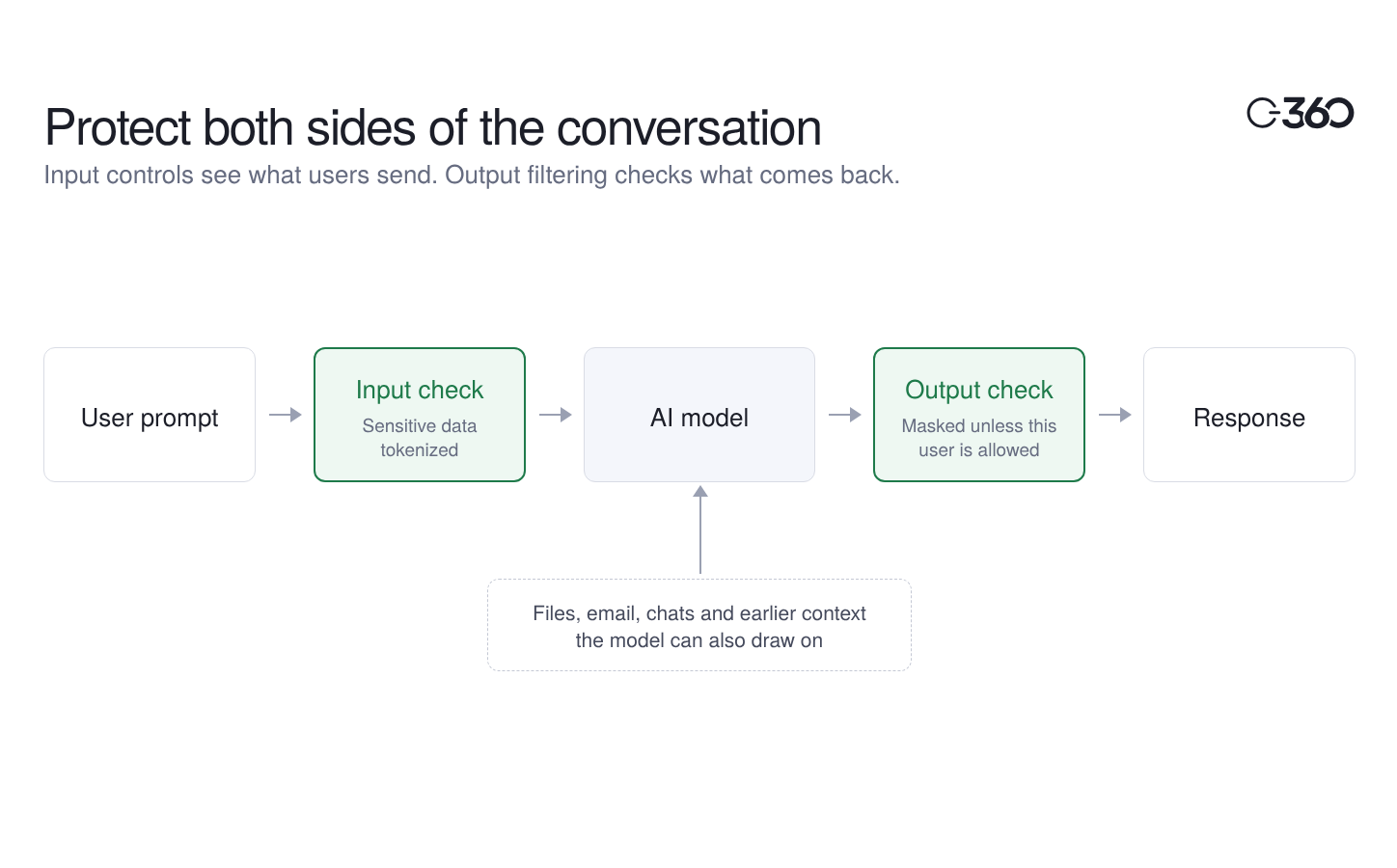
You will often hear this discussed as part of AI guardrails. Guardrails is the broader term, and usually covers things like blocking harmful content or keeping a model on topic. Output filtering is the part that deals with data: making sure what comes back is something this person is allowed to see.
What should an output filter check for?
At a minimum:
- Personal and financial data: names, account and card numbers, government IDs, health details.
- Confidential business information: deal names, pricing, internal project codenames, unreleased results.
- Who's asking: the same response might be fine for a finance lead and wrong for a contractor.
- A record of what was shown: when compliance or an auditor asks what AI exposed and to whom, you need an answer.
How does PromptVault inspect AI responses?
PromptVault sits between your people and the AI tools they use, including Copilot, ChatGPT and in-house models.
Say an analyst asks an AI tool to summarise a customer's account history. Before the prompt leaves your environment, PromptVault replaces the customer's name, account number and other sensitive details with secure tokens. The model reads the tokens, does its work, and sends back a summary that still contains only tokens.
That response is checked for sensitive data before it reaches the analyst. Then PromptVault checks your policies. If the analyst is allowed to see that customer's details, the tokens are replaced with the real values. If they are not, they see the summary with the tokens in place. Either way, the interaction is recorded in an audit trail.
The model never sees the real data, and people only see what they are cleared to see.
Watch both sides of the conversation
Securing AI use means paying attention to what goes in and what comes out. If you are only checking prompts, you are seeing half the picture.
Want to see how PromptVault handles responses in your environment? Book a demo.
Frequently asked questions
What is AI data leakage?
Sensitive information reaching someone or somewhere it shouldn't through AI tools. It can happen through prompts sent to an AI provider, or through responses that show data to the wrong person.
Can ChatGPT or Copilot leak data in their responses?
Yes, if they can reach more than the user should see. Assistants connected to company files or email can surface sensitive information in answers, and manipulated instructions can trick them into revealing data. Tight permissions and output filtering reduce that risk.
What's the difference between input filtering and output filtering?
Input filtering protects what users send to an AI model. Output filtering checks what the model sends back. Most organizations need both.